
Build your website with Confidence. Even if you have never done it before.
A step-by-step Squarespace workshop that takes you from idea to a live, strategic one-page website in just a few lessons.
Is this you?
🙋🏻♀️ You need a website, but don’t know where to start
🙋🏻♀️ You tried before without guidance and immediately stopped
🙋🏻♀️ You’re stuck choosing colours, fonts, or layout
🙋🏻♀️ You want something clean and professional, not “DIY looking.”
🙋🏻♀️ You don’t want to feel website shame
🙋🏻♀️ You want structure, not random YouTube tutorials
🙋🏻♀️ You want to be proud of your website
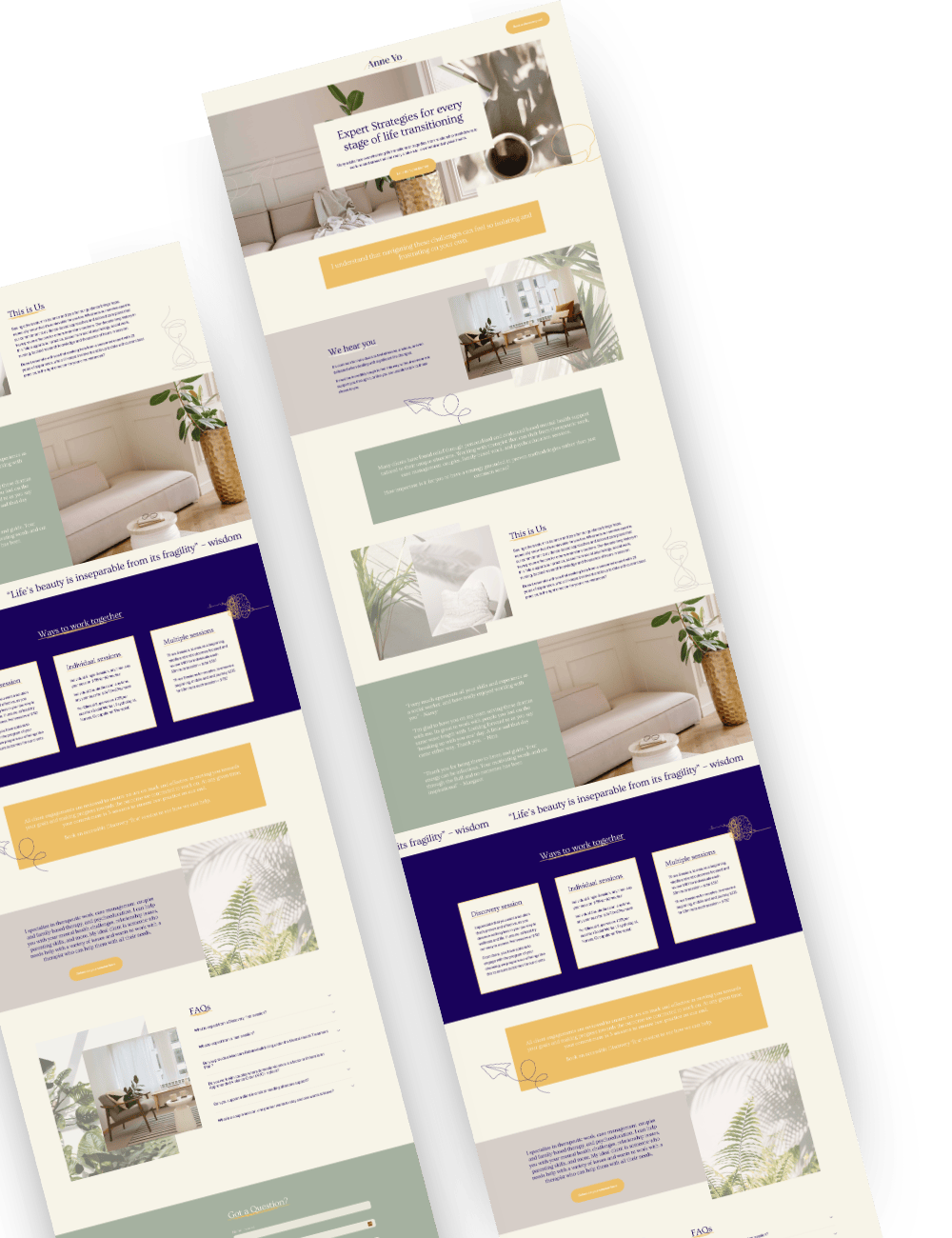
This course gives you the exact roadmap I use with my 1:1 clients, simplified so you can design your website yourself.

This isn’t just random tutorials.
It’s a professional website launch roadmap.
This is the same framework I have been using with my clients.
Foundations First!
You’ll clarify your website vision, choose aligned colours, prep images, buy your domain and set up legal basics before touching design.
Write Clear, Strategic copy
You’ll structure your home page, about section and contact section so your website actually converts..
Build + Launch with confidence
From template setup to mobile optimisation, SEO basics and launch day checklist - you won’t miss a single step.
You’ll build your website in the right order - Just like I do with my 1:1 clients.
You’ll build your website in the right order - Just like I do with my 1:1 clients.
This course walks you step-by-step from idea to launch.
No Googling like a crazy person. No jumping between 100s of YouTube videos. No “what do I do next?”. Just a clear roadmap.
We will learn how the program works.
I will:
Show you how to navigate inside the program
Will prepare you with checklists and folders to make things easier
Show you the website structure we will be using
Give you access to the Squarespace website template to use inside the program
set you ready for success
Because a website without foundations becomes overwhelming fast.
Before we touch design, we get clear.
You’ll:
Define your website vision
Find aligned inspiration
Choose and refine your brand colours
Prep and resize your images properly
Buy your domain
Set up legal essentials
Because a website without foundations becomes overwhelming fast.
Will work on your website copy.
You’ll:
Be guided to find inspiration
work on a workbook design exclusively for this program
Refine the About and Contact sections to really attract your ideal client
Get guidance on how to do all this using ChatGPT if writting is not your strength
Because a website without foundations becomes overwhelming fast.
Hands-On Build
You’ll:
Use the website template
Understand Squarespace basics
Structure your page properly
Connect social media
Style fonts and colours
Set up buttons and links correctly
No random clicking around.
Final polish, where your website stops looking DIY
You’ll:
Optimise for mobile
Apply SEO basics
Run a final quality check
Details matter.
Launch Day
You’ll:
Connect domain + SSL
Follow a launch checklist
Go live confidently
Share your website and actually celebrate 🎉
Because launching whould not feel scary.

Inside the Website Starter Kit you also get:
A pre-designed template so you’re not staring at a blank page.
The opportunity to submit questions if you get stuck.
Special discounts for those who need 1:1 support
Access to checklists and tips I use in my design process every day.
You will DIY, but you’re not doing it alone.
But what if
I’m not techy?
You don’t need to be. I show you exactly what to click.
I get overwhelmed easily.
You won’t here. I structured this program with bite-sized lessons to remove every single bit of overwhelm.
I want it to look professional.
When following this structure, you will. You will be using the same structure I use with my 1:1 clients.
What if I get stuck halfway?
I made sure this won’t happen, but if you still need support, you will be able to submit questions or book a Power Hour at a discounted price.
This course is perfect if:
• Need an affordable, professional-looking website that helps you sign clients without hundreds of hours of work.
• Want the step by step guidance from someone with 10+ years of experience in desgin.
• Want a fast and easy way to build a simple website with the right words, design, colours that you’ll be proud to share with potential clients.
• Don’t have time to learn website design on your busy days and need a simple guided option all in one place.
• Want to know best practices for website design and need clarity and direction to move forward.
• Need a cost-effective solution to create a professional-looking website.
• Are ready to build a simple, easy-to-use website.
• Want a supportive experience with expert guidance to hold your hand through the whole process.
And when you’re ready for a full revamp later?
You’ll already have strong foundations.
This is your first step in launching your website till you can actually invest in a professional. Always remember, Done is better than perfect.
This is not for you if you’re looking for someone to build it for you.

Before and after.
Before:
Overwhelmed
Website half-built
Tabs open everywhere
Not sure what goes where
After:
Clear structure
Professional layout
Mobile optimised
Website live and ready to promote
Website Starter Kit investment:
Inside the Website Starter Kit you’ll get:
A complete 5-module step-by-step workshop
A one-page website template designed specifically for this program
The option to submit your questions and get tailored video anwers. ( Up to 10 questions per website* )
Welcome videos guiding you through how everything works and how to prepare
This isn’t just tutorials. It’s structure, support and clarity.
A custom one-page website with me starts at $1800 AUD.
—
INVESTMENT TODAY $699 AUD/495 USD**.
INTRODUCTORY INVEST: $599 AUD/455 USD**.
This workshop does not include: Squarespace plan, Domain costs.
*Extra questions can be answered in a paid support hour.
**USD price might vary depending on exchage rate

The Power of one-page websites.
This is why I’m so passionate about helping service-based business owners, like you, create one-page websites. Especially at the beginning of your business. Because so much changes in the first year of business.
You don’t want to spend 4 months creating a full 16-page website and then, in 3 months, realise you want to completely change your service offerings. Or you might decide to work with a different type of client for your services.
One-page websites are Perfect to showcase who you help and how you help people.
When you sign up for the Website Starter Kit, you get to work through my 5-step system to design your one-page website like a professional. You will have my 8 years of experience in Design, guiding you every step of the way.
You will write, design, and optimise your website for Maximum conversion. It’s a great place to start when you’re still testing out service packages and all of those things in your first years in business.
I’m so excited to have the Website Starter Kit available to help those starting their business journey who still don’t have the budget to invest in a professional designer.
Join the workshop and have your amazing one-page website done and launched in no time.
You don’t need a perfect website.
You need a live one!
Done is what builds momentum. If you’re ready to stop overthinking and start building

Hey there, fabulous entrepreneur!
I'm Ina, a Squarespace Expert designer with more than 7 years of experience in website design, a formally trained graphic designer and IT consultant, and an all-around hustler. A proud wife and mum of three (well, technically two - but our 5-year-old brown labradoodle Roxi insists she's a human).
As a fellow business owner, I understand that you're not just building a website; you're laying the foundations for your empire. Whether you're in your first year or your second decade in business, your online presence is critical for getting found and booked. And delaying the design of your website will only delay your business growth.
If you can’t afford a professional designer, this is your best next step to get you started. I poured my heart into this program to make sure you succeed.
FAQs
-
Squarespace 7.1. I truly believe Squarespace is one of the most user-friendly and easiest platforms for you to maintain and update as a small business owner.
-
After enrolling, you have unlimited access to the tutorials for as long as you like, plus 6 months of the website template included.
-
Yes, after this workshop, you will feel confident to keep growing your website, adding new pages and customising them to your needs.
-
Yes! you can redirect your current domain to the website designed in this workshop.
-
- You will receive a starter template to reduce setup time.
- You will have access to bite-sized tutorials guiding your though the whole process.
- My expert support through emails.
-
You can check out Squarespace's rates here. Because we are going to be working together, you will get a 20% discount on your first year of hosting!
Hosting cost is not included in the website template price.
-
Yes, you will get instant access to all the lessons.
-
Yes, you will have to buy a Squarespace subscription and a Domain name (URL) if you don't already have one.
-
No! In fact, it’s better if you don’t because with the template I give you on the workshop, you'll get 20% off your first year of hosting plus your first year of your domain for free! Win Win!
-
No. I won’t ask you to do any coding. I will teach you DIY friendly features and you won't need to code anything!
-
Absolutely, although I believe this workshop will help you design your website without being overwhelmed. Building your own website is the best way to learn the platform and make edits to it in the future.
If you still think you need help or you don’t have the time, please check my One-Page Website package.
-
Yes! This workshop includes 10 questions answered via email. If you need extra support, you can book a VIP Day or Power hour at a discounted price.
-
If you stick to the lessons, it will only take you two weeks, but if you are committed to it, you can tackle it in a weekend. I promise you, Squarespace is super simple.
-
It will depend on how tech-savy you are, but my small lessons will allow you to do 20 to 30 minute blocks a day making it easy and fun to complete.
Couldn’t find your answer?
Drop me a note and I'm happy to answer any questions.